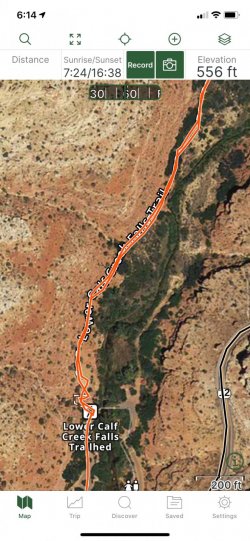
1) on the Map screen zoom into the area on the map, then tap/touch the waypoint or track --> then a white highlighted rectangular box pops up with an "i" inside a circle,
see an example below where I tapped the red track "Lower Calf Creek"
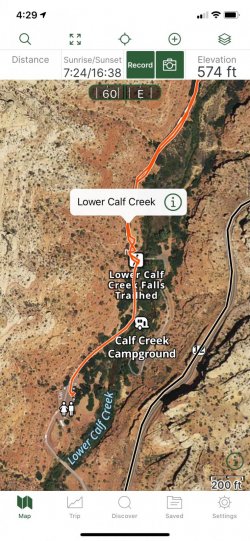
2) tap/touch the "i" (not arbitrary inside the white box, but the "i").
When you touch the "i" a NEW SCREEN shows, see below example. Notice the 3 tiny green circles top right?
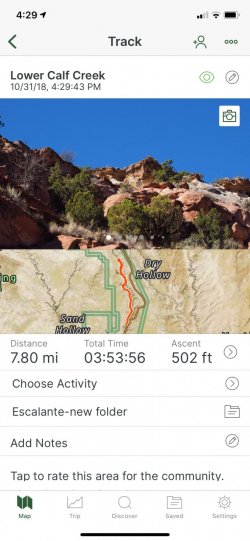
3) tap the 3 tiny circles (top right corner) and a new "pop screen" shows many options, then tap/choose "Export"
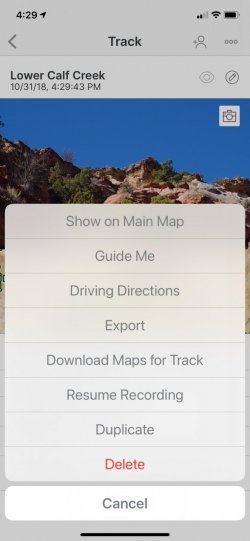
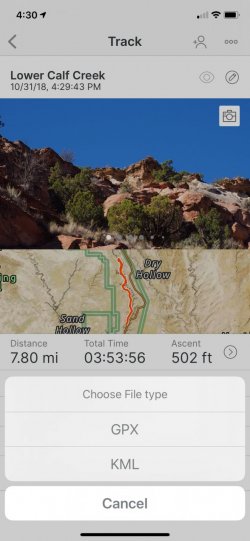
4) A new pop screen asks you to choose the File type, choose GPX
5) a new screen shows various options, like "Messages", "Mail", "Save to file", etc.
Choose one method, it's often pretty easy to just text it or Mail it, so for instance Message or Mail.
If you have trouble with step 5, then I can private message you (I have friends names show up as suggestions, so I can't publish the screenshot here)
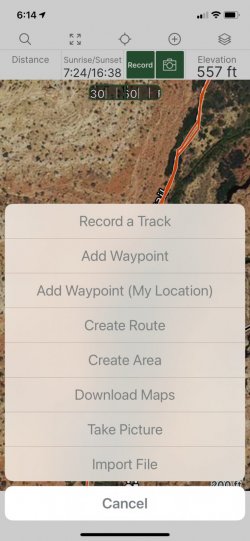
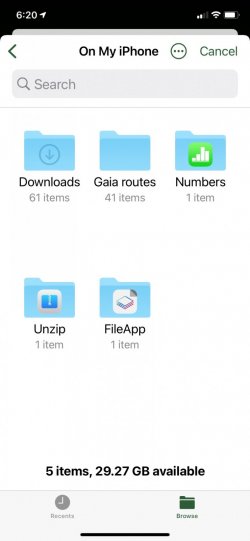
6) The person you are sending it to, then has to IMPORT the file.
Let me know if you have any questions!